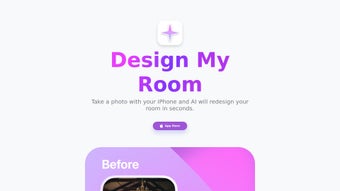

Download Design My Room – AI‑Powered Interior Design Tool
Overview: How Design My Room Reinvents Home Redecoration
Design My Room is a web‑based application that brings the power of artificial intelligence straight into the living room. By simply uploading a single photograph of any space—whether it’s a cramped studio apartment, a family‑size kitchen, or a forgotten attic—users receive five uniquely crafted design concepts tailored to the room’s dimensions, lighting, and personal style preferences. The tool eliminates the guesswork that often stalls DIY makeovers and replaces it with instant, data‑driven inspiration. Because the service runs entirely in the browser, there is no need for heavyweight software installations or costly subscriptions; a reliable internet connection and a modern browser are all that’s required. This seamless experience makes Design My Room especially appealing to renters who cannot make permanent changes, homeowners looking for fresh ideas, and interior‑design enthusiasts eager to experiment without breaking the bank. Beyond the visual mock‑ups, the platform also provides a curated list of furniture, paint colors, and décor items that align with each concept, turning a vague vision into a concrete, actionable plan. Whether you’re aiming for a minimalist Scandinavian vibe, a bold industrial loft, or a cozy farmhouse retreat, Design My Room adapts its suggestions to match your taste while respecting the architectural constraints of the space. In short, the application transforms the traditionally time‑intensive redesign process into a quick, enjoyable, and highly visual journey, empowering anyone to reimagine their environment with confidence and creativity. The AI engine is continuously updated with the latest design trends, ensuring that the recommendations stay fresh and relevant. Moreover, the platform’s commitment to privacy means that users can experiment freely without worrying about their personal photos being stored long‑term. All of these factors combine to make Design My Room a compelling, modern alternative to traditional interior‑design software.
Key Features That Set Design My Room Apart
While many online décor tools simply let you drag‑and‑drop furniture onto a blank canvas, Design My Room goes several steps further. Its AI engine analyses the geometry, lighting, and existing colour palette of the uploaded image, then synthesises five complete, style‑specific visualisations in seconds. Each visualisation is paired with an actionable shopping list, making the transition from inspiration to implementation frictionless. The following feature list captures the breadth of functionality that makes this service stand out in a crowded market.
- AI‑Generated Design Concepts: The core engine analyses room geometry, lighting, and existing colour schemes to produce five distinct, style‑specific visualisations within seconds.
- Style Library: Over 20 predefined design styles—ranging from Modern Minimalist to Boho Chic—allow users to steer the AI toward their preferred aesthetic.
- Instant Furniture & Material Suggestions: Each concept includes a ready‑to‑shop list of furniture, wall finishes, flooring, and décor items, complete with affiliate links for easy purchasing.
- High‑Resolution Renderings: The generated mock‑ups are delivered in full‑HD quality, enabling users to zoom in and examine textures, patterns, and spatial relationships up close.
- Cross‑Platform Accessibility: Because Design My Room runs in any modern web browser, it works on Windows, macOS, Android, and iOS without the need for native apps.
- Secure Photo Handling: Uploaded images are encrypted during transit and automatically deleted after the design session, ensuring privacy and data protection.
- Save & Share Options: Users can download the visualisations as PNG or PDF files and share them directly via email or social media for collaborative feedback.
- Free Tier with Premium Upgrades: The base service offers five concepts per room at no cost, while a modest subscription unlocks unlimited rooms, higher‑resolution renders, and exclusive design packs.
Together, these features provide a complete end‑to‑end workflow that covers inspiration, planning, budgeting, and execution. Whether you are a first‑time homeowner or a seasoned interior designer, the tool scales to meet your needs while keeping the interface intuitive and approachable.
Step‑by‑Step Installation and Usage Guide
Getting started with Design My Room is intentionally straightforward, allowing users of all technical backgrounds to dive right in. Below is a comprehensive walkthrough that covers everything from accessing the site to exporting the final design concepts.
1. Access the Platform
Open your preferred web browser (Chrome, Firefox, Safari, or Edge) and navigate to designmyroom.com. The homepage presents a clean, invitation‑only layout with a prominent “Upload Your Room” button.
2. Prepare Your Photo
For optimal results, capture a well‑lit photograph that showcases the entire room. Natural daylight works best; avoid heavy shadows or glare. Ensure the camera is positioned at eye level and that the room’s edges are visible. Once you have the image, click the upload button and select the file (JPEG or PNG, max 10 MB). The platform will automatically analyse the picture and prompt you to confirm the room’s orientation.
3. Choose Your Style Preferences
After the AI processes the image, you’ll be presented with a style selector. Browse the thumbnails of available design styles, read brief descriptions, and tick the boxes that resonate with you. You may also input specific colour preferences or furniture brands in the optional “Custom Details” field to further personalise the output.
4. Generate and Review Concepts
Click “Create Designs” and let the AI work its magic. Within 30–60 seconds, five distinct concepts appear side‑by‑side. Hover over each to view a larger preview, and click any concept to explore a detailed breakdown of suggested items, paint codes, and layout adjustments. If a concept feels close but not perfect, you can request a “Refine” iteration, which subtly tweaks the design while preserving the core style.
5. Export or Share Your Favorites
When you’re satisfied, select the concepts you wish to keep and click “Download.” Choose between PNG for quick sharing or PDF for a printable presentation. The download package includes a high‑resolution rendering, a shopping list with affiliate links, and a short PDF guide on implementing the changes. You can also hit the “Share” button to send the designs directly to friends, family, or a professional designer for feedback.
6. Optional Premium Upgrade
If you need more than five concepts, higher‑resolution images, or access to exclusive design packs, click the “Upgrade” banner. The subscription is billed monthly or annually, and the payment gateway is fully PCI‑compliant, guaranteeing a secure transaction.
Overall, the entire workflow—from photo upload to final export—takes less than five minutes for most users, dramatically shortening the planning phase of any home improvement project. The intuitive layout and step‑by‑step prompts ensure that even users with limited technical skills can achieve professional‑grade results without a steep learning curve.
Compatibility, Pros & Cons, and Overall Assessment
Design My Room is a cloud‑native solution, meaning it runs directly in the browser without any local installation. It is fully compatible with the latest versions of Windows 10/11, macOS Monterey and later, as well as mobile operating systems such as Android 8.0+ and iOS 13+. As long as the device supports HTML5, CSS3, and JavaScript, users will experience the same performance across desktops, laptops, tablets, and smartphones.
Pros
- Instant Results: Five AI‑generated concepts appear within a minute, saving hours of manual research.
- No Software Download: Browser‑based access eliminates storage concerns and ensures automatic updates.
- Free Tier Available: Users can explore the core functionality without paying, making it accessible to a wide audience.
- High‑Quality Visuals: Renderings are photorealistic, helping users visualise the final look accurately.
- Integrated Shopping List: Direct links to retailers streamline the purchasing process.
- Privacy‑Focused: Images are encrypted and deleted after the session, addressing security worries.
- Responsive Design: The interface adapts fluidly to any screen size, from large monitors to compact phones.
- Continuous Updates: The AI model receives regular training on new design trends, keeping suggestions fresh.
Cons
- Internet Dependency: A stable connection is required; offline use is not possible.
- Limited Customization in Free Version: Advanced tweaks and unlimited rooms require a paid subscription.
- AI Interpretation Variability: Occasionally, the AI may misinterpret lighting or perspective, leading to less accurate suggestions.
- Affiliate Links: Some users may prefer non‑affiliated product recommendations.
- Learning Curve for Advanced Features: While basic use is simple, mastering the “Refine” and custom‑detail options may take a few attempts.
Overall Rating: 4.5 out of 5 stars
The blend of AI convenience and design depth makes Design My Room a standout tool for anyone looking to refresh a space quickly. While the free tier offers solid value, power users will likely benefit from the premium features.
Frequently Asked Questions
-
Is Design My Room completely free to use?
Design My Room offers a generous free tier that lets you generate five design concepts per uploaded room. Premium features—such as unlimited rooms, higher‑resolution renders, and exclusive style packs—require a subscription, but the core functionality remains free for casual users.
-
Do I need to create an account to generate designs?
No account is necessary for the free version. You can upload a photo, choose styles, and receive concepts instantly. Creating an account is optional and only required if you wish to save projects, access premium content, or sync designs across multiple devices.
-
How secure is my uploaded photo?
All photos are transmitted over HTTPS, encrypted in transit, and automatically deleted from the server within 24 hours after the design session ends. The platform complies with GDPR and CCPA standards, ensuring user privacy.
-
Can I use Design My Room on a mobile device?
Yes. The web app is fully responsive and works on Android and iOS browsers. The interface adapts to smaller screens, allowing you to upload photos, browse concepts, and share designs directly from your smartphone or tablet.
-
What if the AI misinterprets my room’s layout?
If the generated concepts don’t align with the actual space, you can re‑upload a clearer photo or use the “Refine” option to guide the AI. Adding simple notes about window placement or ceiling height in the “Custom Details” field also improves accuracy.
Conclusion – Why You Should Download Design My Room Today
In a market saturated with generic mood‑board apps and expensive design software, Design My Room stands out by delivering high‑quality, AI‑driven visualisations in a few clicks. Its browser‑based nature means you can start redesigning instantly, whether you’re on a desktop at home or a phone in a coffee shop. The free tier provides ample value for casual homeowners, while the optional premium upgrade unlocks professional‑grade features for designers and serious renovators. By combining speed, accuracy, and a built‑in shopping guide, the tool bridges the gap between inspiration and execution, turning vague ideas into concrete plans that you can act on right away. If you’re looking to refresh a single room or embark on a full‑scale home makeover, Design My Room offers a secure, user‑friendly, and cost‑effective solution that truly democratises interior design. Click the download link, upload your photo, and watch your space transform before your eyes.



.png)



